Tutorial 3 of 6
Run pages and scripts safely
Beginner 7 min
Preview web pages, run JavaScript and TypeScript in the console, stop endless loops, and understand why your code cannot reach your accounts.
Codeharbor runs your code — but never on this page. Pages and scripts run on a separate address, the run host, inside a sandboxed frame. That is what makes it safe to run code you copied from somewhere: it cannot read your cookies, your other projects or your workspace, and it cannot send requests to our servers or anywhere else.
Web pages
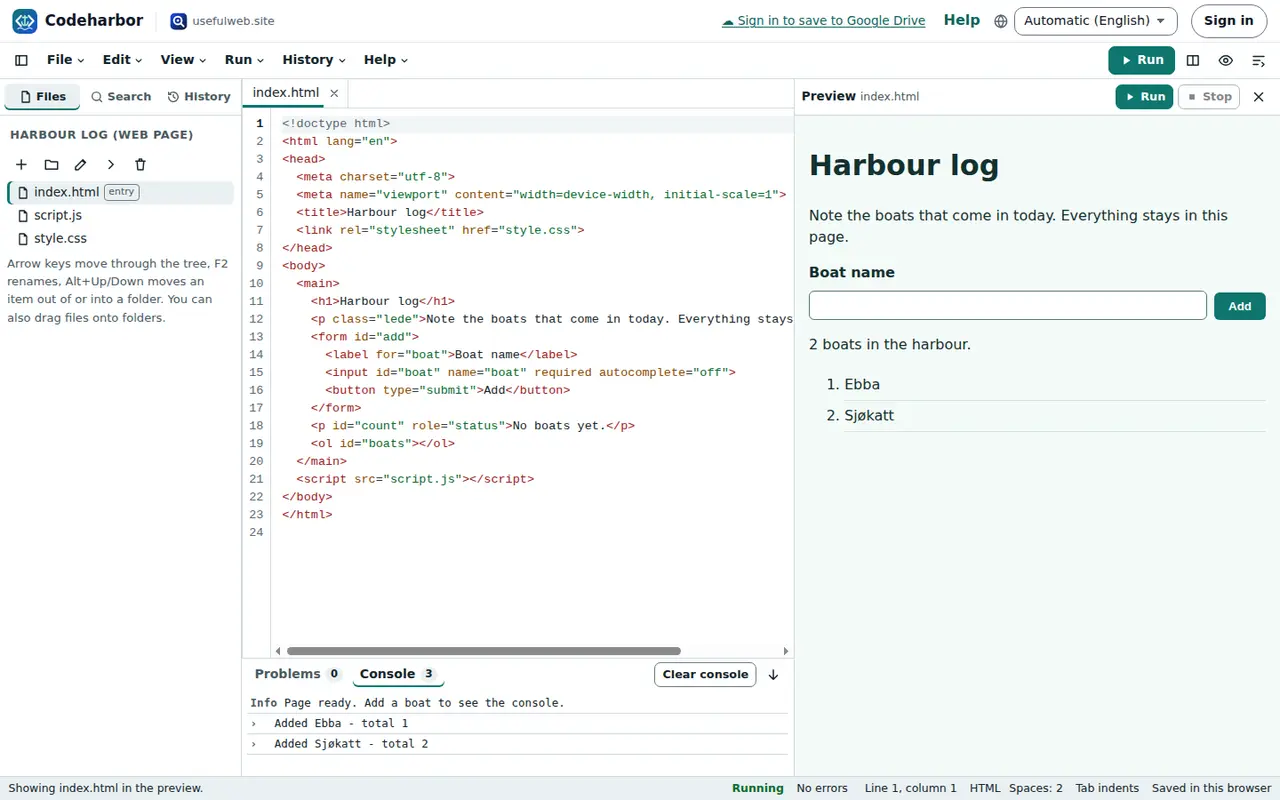
Open an .html file and press Run (or Ctrl+Enter). The page appears in the preview on the right. Its CSS and scripts come from the project: a <link href="style.css"> or <script src="script.js"> is filled in from your files, and links to other pages of the project open them in the preview.
Messages from console.log in the page arrive in the Console at the bottom. Errors also name the file and line they came from; select that link to jump there.
Scripts and TypeScript
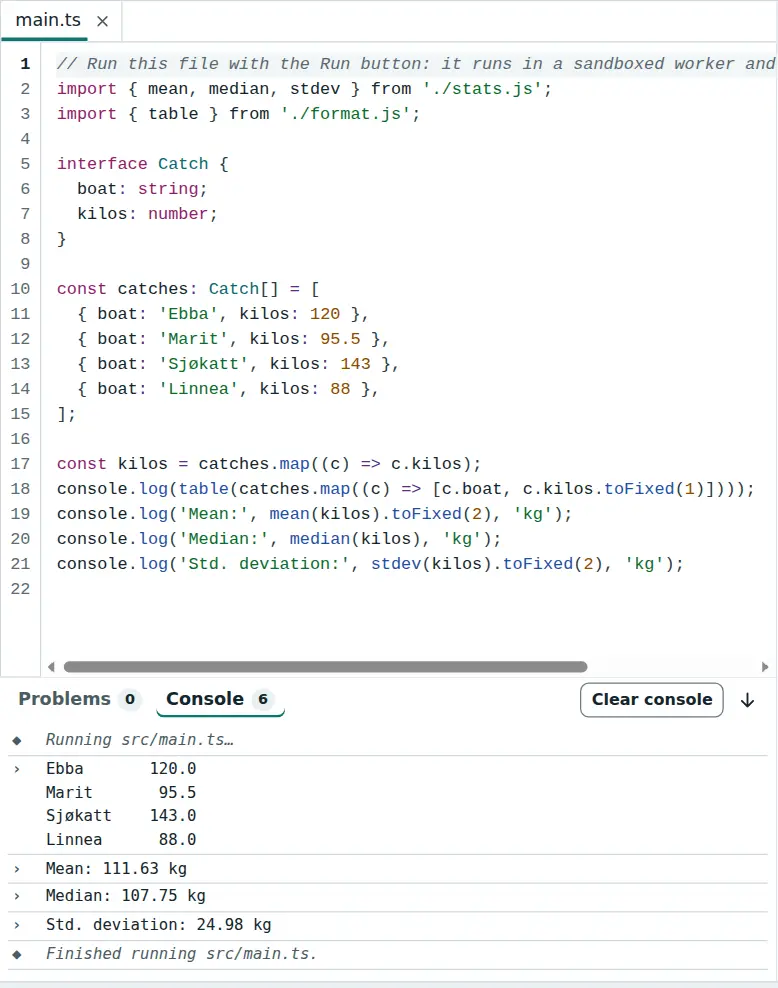
Open a .js or .ts file and press Run. Scripts run in a background worker, and everything they print appears in the console. Modules can import each other with relative paths — import { mean } from './stats.js' finds stats.ts, as TypeScript projects do.
TypeScript types are removed before running, and the code keeps its line numbers, so errors point at the right line. Some TypeScript features generate code instead of just describing types — enum, namespace, parameter properties like constructor(private x) and decorators. Codeharbor reports them as problems; write a const object instead of an enum.
Run → Make this file the entry chooses the file that Run the project entry starts, no matter which file is open.
Stopping code
A script that never ends is stopped after the time limit (5 seconds by default; Editor settings… changes it) or when you press Stop. In pages, a loop that keeps running for more than two seconds is interrupted with a message that names its line — the rest of the page keeps working.
What does not run
Python, SQL, shell, Rust, Go and C are highlighted and can be edited, but Codeharbor has no runtimes for them. Run then explains what to do instead — usually: export the project as ZIP and run it on your computer. JSX and TSX are not transformed.
Help → About the sandbox shows the address of the run host and the rules it follows.
Ready to try it?