Tutorial 5 of 6
History — commits, diffs and snapshots
Intermediate 7 min
Record versions of your project with commits, compare any change line by line, restore files or whole commits, and take quick snapshots before you experiment.
Codeharbor has two ways to keep earlier versions: commits, which are part of the project, and snapshots, which are quick copies kept only in this browser.
Changes since the last commit
Open the History tab in the sidebar. Under Changes you see every file that is new, changed or removed since the last commit, with the number of added and removed lines. Select a file to see its changes line by line.
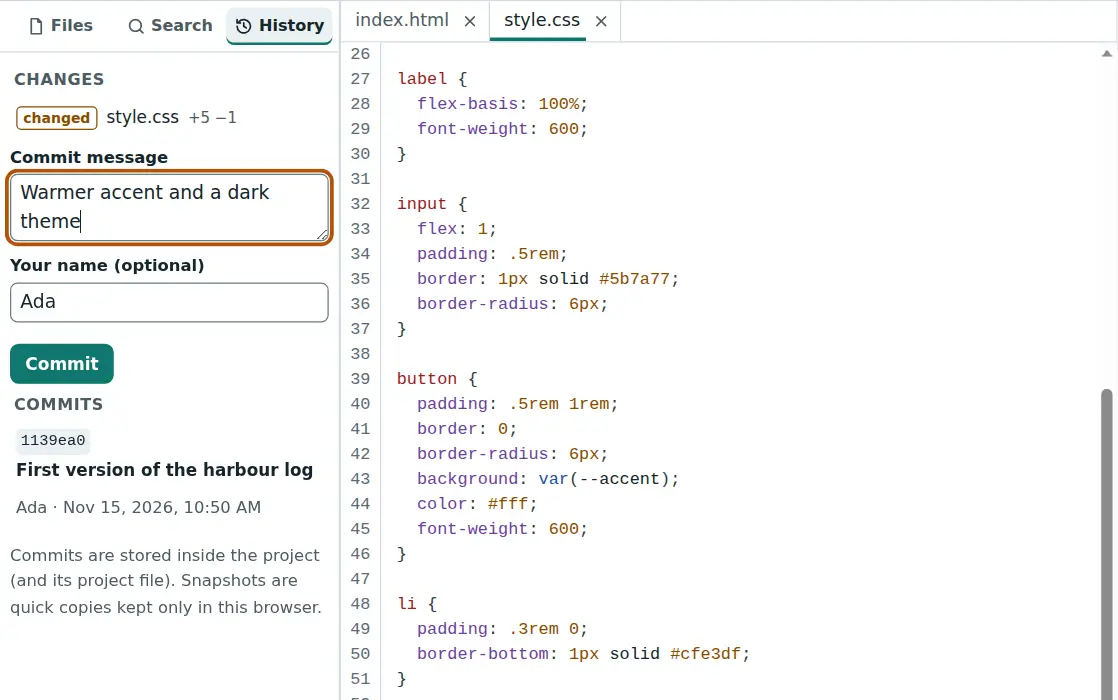
Commit
Write a short commit message that says what changed — “Add a dark theme to the page” — optionally your name, and press Commit. Codeharbor records the content of every file. Commits are like those in git, but local: there is no server and no branches.
Commits travel with the project: they are inside the project file (File → Save project file) and in your browser’s copy. A project keeps up to 200 commits.
Look at a commit
Under Commits every commit is listed with its short id, message, author and time. Select one to see what it changed: one table per file with the old and new line numbers, the kind of change and the text. Changed words inside a line are marked.
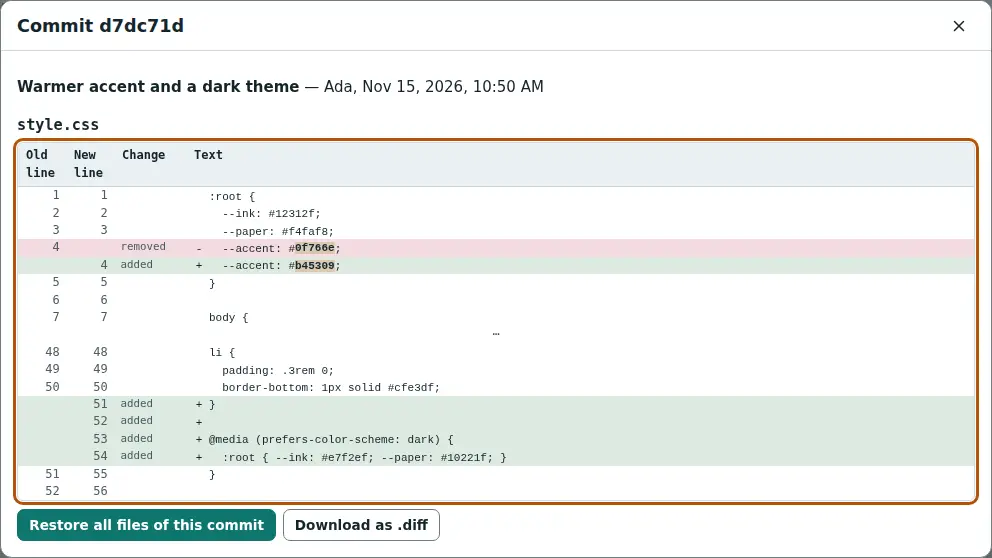
In that dialog:
- Restore all files of this commit puts every file back to that version. Your current state is not lost if you committed or took a snapshot first.
- Download as .diff saves the change in the usual unified diff format, for example to attach to a bug report.
Snapshots
A snapshot is a full copy of the files at one moment, kept only in this browser. Take one before a big search-and-replace or a refactoring: History → Take a snapshot.
History → Snapshots… lists them with the number of files that differ from now. Show differences opens the diffs, Restore goes back — and first takes a snapshot of the current state, so a restore can be undone too.
Snapshots are not part of the project file and are not shared in workspaces. Use commits for versions you want to keep.
Ready to try it?